How Much Does a Website Cost in Nepal? (2026 Guide + Price Factors)
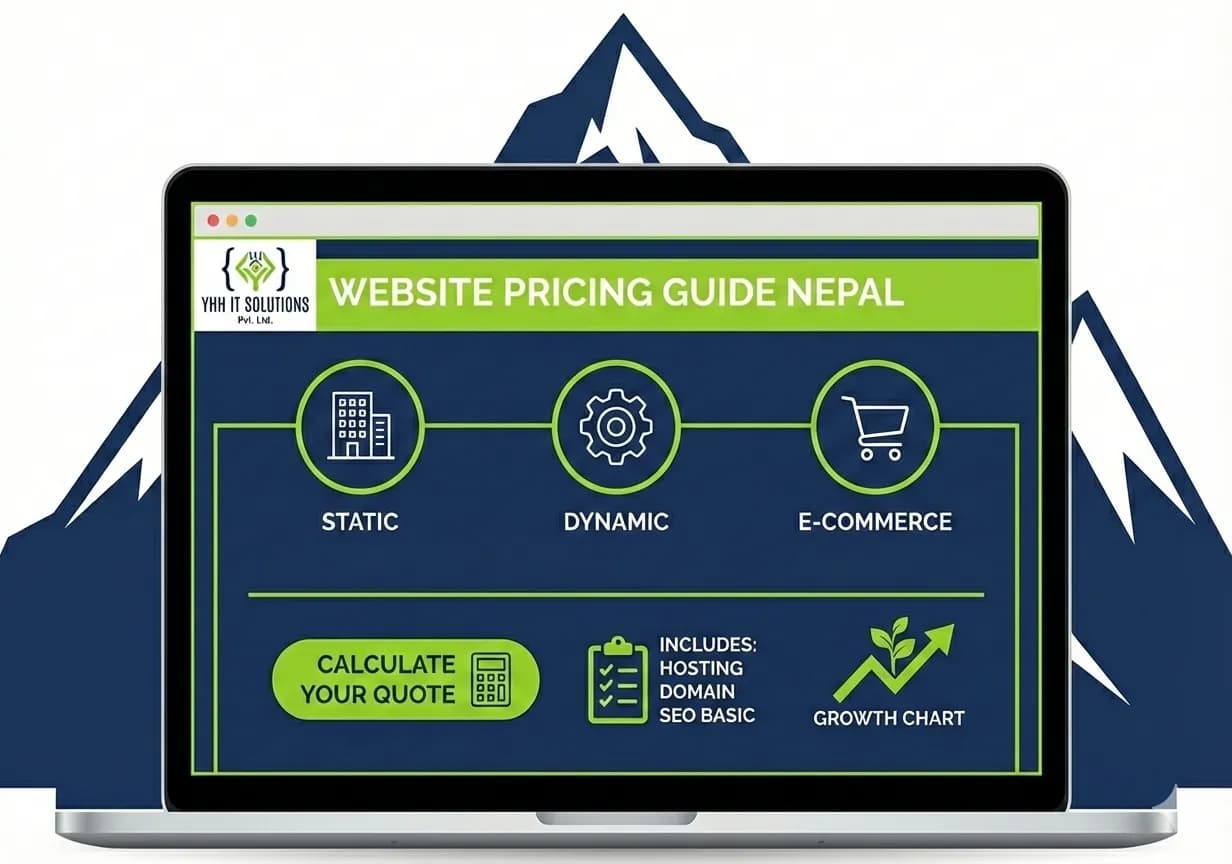
Every business owner in Nepal asks the same question: "How much will my website cost?"
The answer isn't simple. Website pricing in Nepal depends on many things. What you need is different from what another business needs. So the cost is different, too.
This guide will help you understand what affects website pricing. You'll learn about real factors that make websites cheaper or more expensive. This way, you can make smart decisions for your business.
The Simple Truth: Website Cost Depends on What You Need
There is no fixed price for a website. The cost depends on what you need. Just like a car, a basic model costs less, while a model with more features costs more. The same rule applies to websites, a simple website costs less than a website with advanced design, features, and functionality.
The same is true for websites.
Your website cost depends on:
-
What your business needs
-
How complex do you want it to be
-
What features do you need
-
How professional do you want it to look
So let's break this down into simple parts.
Website Types and What They Cost
Static Websites: Simple and Budget-Friendly
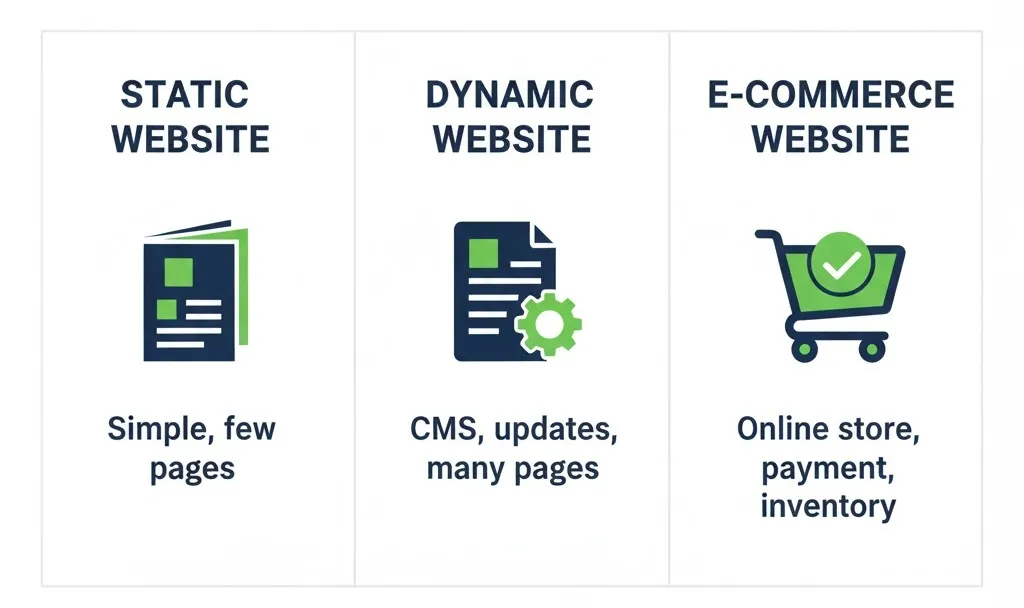
A static website is simple. It shows information that doesn't change often. Think of it like reading a printed brochure online.
Static websites are best for:
-
Small businesses that just want to show their service
These websites have lower costs because they're simple to build.
What you get:
-
A few pages (5-10 pages usually)
-
Basic design
-
Simple contact form
-
No database or complex features
Budget-friendly pricing is common for this type. You'll find options ranging from entry-level to mid-range, depending on design quality and customization.
Dynamic Websites: More Power, More Features
A dynamic website can do more. It updates automatically. You can change things without knowing code.
Dynamic websites are best for:
-
Blogs and news sites
-
Restaurants with menu systems
-
Travel companies with booking systems
-
Service businesses that need to show many pages
These websites cost more because they need special technology to run.
What you get:
-
Many pages (10-20+ pages)
-
Professional design
-
Easy-to-use admin panel
-
Content management system (CMS)
-
Mobile-friendly design
-
Better search engine performance
Pricing for dynamic websites varies based on complexity and features.
E-Commerce Websites: For Online Stores
An e-commerce website sells products online. It has shopping carts, payment systems, and inventory management.
E-commerce websites are best for:
-
Retail businesses
-
Sellers on marketplaces
-
Food delivery services
-
Any business selling products online
These websites are the most complex and cost more to build and maintain.
What you get:
-
Product display pages
-
Shopping cart system
-
Payment gateway (to accept money)
-
Inventory management
-
Customer accounts
-
Order tracking
-
Security features
E-commerce website pricing varies significantly based on how many products you have and what features you need.
Other Website Types
Portfolio Websites (for creative professionals): Budget-friendly to mid-range pricing. Shows your work and skills.
Business Directories: Entry-level to mid-range. Lists businesses and services in a specific area or niche.
Educational Websites: Mid-range to premium. May include courses, student login systems, and progress tracking.
Key Factors That Change Your Website Cost
1. Design Customization: Template vs. Custom Design
Using a Ready-Made Template:
-
Much cheaper
-
Faster to build
-
Less unique
-
Good for starting a business quickly
Custom Design:
-
More expensive
-
Unique to your brand
-
Better for big businesses
-
Shows professionalism
The difference in cost is big. Custom design takes more time and skill.
2. Number of Pages
A website with 5 pages costs less than a website with 50 pages.
More pages mean:
-
More design work
-
More content writing
-
More testing
-
More time to build
3. Functionality and Features
Features are things your website can do. More features = higher cost.
Common features that increase cost:
-
Shopping cart and payment system
-
User login and registration
-
Contact forms and lead capture
-
Search function
-
Booking and scheduling
-
Integration with other tools (like accounting software)
-
Live chat
-
Customer database
Each feature needs extra work to build and test.
4. Content Creation
Content is the words, images, and videos on your website.
Content creation includes:
-
Professional copywriting (writing good descriptions)
-
Product photography or custom graphics
-
Video creation
-
SEO-optimized writing (writing for search engines)
If you provide all the content, the cost is lower. If the web team creates it, the cost is higher.
5. Mobile-Friendly Design
Today, most people use phones to browse the internet. Your website must work well on phones, tablets, and computers.
Building a mobile-friendly website takes extra work. But it's now considered standard, so don't avoid it.
6. Search Engine Optimization (SEO)
SEO helps people find your website on Google.
SEO work includes:
-
Keyword research
-
Meta descriptions
-
Proper URL structure
-
Fast loading speed
-
Mobile optimization
-
Schema markup (special code for search engines)
Basic SEO is often included. Advanced SEO costs extra.
7. Website Speed and Performance
Faster websites cost more to build and host. But they're worth it because:
-
People don't leave slow websites
-
Google ranks fast websites higher
-
Customers are happier
8. Security Features
Security protects your website and customer data.
Security includes:
-
SSL certificate (the "https" in your website address)
-
Backups
-
Firewalls
-
Protection from hackers
E-commerce and membership sites need more security.
10. Agency Experience vs Freelancer
An experienced web agency usually charges more than a freelancer, especially a beginner. However, agencies often provide more value because they:
-
Finish projects faster
-
Face fewer technical problems
-
Build more professional and reliable websites
-
Offer better support after the website is launched
Freelancers generally charge less and are suitable for smaller or simpler projects, but the quality and long-term support depend on the individual’s experience and availability.
Breaking Down Website Cost Components
Your website cost includes many parts. Here's what you're really paying for:
Design and Layout
This is how your website looks. It includes:
-
Planning and wireframes (drawings of the site)
-
Visual design
-
User experience (UX) design
-
Graphics and icons
Development and Coding
This is the technical work. It includes:
-
Writing code
-
Building features
-
Testing for bugs
-
Making it mobile-friendly
More complex websites need more coding time.
Content Writing and Setup
This includes:
-
Writing descriptions
-
Adding your information
-
Organizing your content
-
SEO optimization
Some businesses provide content. Others need help writing it.
Testing and Launch
Before your website goes live, it must be tested. This includes:
-
Checking on different devices
-
Testing forms and features
-
Finding and fixing problems
-
Final reviews
Ongoing Maintenance
After launch, websites need care:
-
Updates and security patches
-
Backups
-
Small changes and fixes
-
Performance monitoring
-
Support when problems happen
Most businesses pay a yearly maintenance cost. This is usually 10-15% of what they paid to build the website, or a flat monthly fee.
Hosting
Hosting is space on the internet where your website lives.
Hosting costs:
-
Basic shared hosting: Entry-level pricing
-
Better hosting: Mid-range pricing
-
Premium hosting: Higher pricing
Hosting is usually paid yearly or monthly.
Domain Name
Your domain name is your website address (like yourname.com).
Domain costs vary:
-
.com or .np domains cost a small amount per year
-
Premium names cost more
-
Some domains cost extra if they're popular or easy to remember
The Real Cost Breakdown: What You Actually Pay
When you build a website in Nepal, you're paying for:
One-Time Costs (Design and Development):
-
Initial planning and consultation
-
Professional design
-
Custom coding and development
-
Content creation (if the agency does it)
-
Testing and launch
-
SEO setup
Entry-level websites start at lower prices. Professional websites with more features cost more. Custom e-commerce or complex sites cost premium prices.
Ongoing Yearly Costs:
-
Domain renewal
-
Web hosting
-
Regular maintenance and updates
-
Security monitoring
-
Backups
-
Customer support
-
Optional: Monthly SEO work, content updates, new features
Factors That Make Website Cost Lower
Want to keep costs budget-friendly? Consider these:
Use a Ready-Made Template
Cheaper than a custom design. Still looks professional.
Start Simple
Add features later. Begin with basic needs only.
Provide Your Own Content
Writing and images take time. If you do it, the cost is lower.
Clear Planning
Know exactly what you need before talking to a web team. Changes later cost more money and time.
Flexible Timeline
If you can wait, it costs less. Rush jobs need rush pricing.
Pre-Built Systems
Use WordPress or other popular platforms. They're cheaper than building from scratch.
Factors That Make a Website Cost Higher
Some things increase the cost:
Custom Design
Unique design takes more time and skill.
Many Features
Each feature (shopping cart, login system, etc.) adds cost.
Advanced Integrations
Connecting your website to other software (accounting tools, CRM, etc.) takes extra work.
Large Amount of Content
Many pages or lots of media (photos, videos) take more time.
High Security Needs
E-commerce and membership sites need extra security work.
Complex Database
If your website manages lots of data, it costs more.
Tight Deadline
Rush work costs more.
Questions to Ask Before Getting giving your website project
Before you talk to a web agency, know what you need. Ask yourself:
-
What is my website's main purpose? (Sell products? Show information? Get leads?)
-
What features do I really need? (Shopping cart? Login? Booking system?)
-
How many pages do I need?
-
Will I provide content or need help writing it?
-
Do I need SEO from the start?
-
What's my timeline? (How soon do I need it?)
-
What's my budget range? (Budget-friendly? Mid-range? Premium?)
-
Do I need ongoing support?
-
Will I need regular updates and maintenance?
-
Do I want to make changes myself later? (This affects what platform to use)
Making Smart Decisions About Website Pricing
Don't Choose Only by Price
The cheapest website isn't always the best. A very cheap website might:
-
Look unprofessional
-
Do not work on phones
-
Be hard to update
-
Rank poorly on Google
-
Lacks important features
Think About Long-Term Value
A website is not a one-time purchase. It's an investment that:
-
Brings customers to your business
-
Builds your professional image
-
Saves you time
-
Runs 24/7 without you
A good website pays for itself by bringing new customers. If you’re still unsure about its value, read why every business needs a website to understand how a website builds trust, attracts customers, and supports growth 24/7.
Compare What You Get
Two websites might have the same price but offer different things. Compare:
-
Design quality
-
Features included
-
Support after launch
-
Maintenance included or extra
-
Mobile-friendly design
-
SEO optimization
Understand the Hidden Costs
Sometimes costs aren't obvious:
-
Yearly hosting fees
-
Maintenance costs
-
Updates and security
-
Adding new features later
-
SEO work after launch
-
Professional photography or video
Ask about all costs upfront. No surprises later is better.
Understanding Website Pricing in Nepal: Key Takeaways
-
Website cost varies widely based on what you need, not a one-size-fits-all price
-
Main factors are: design complexity, features needed, content creation, customization level, timeline, and agency experience
-
Three price ranges exist: entry-level (budget-friendly), mid-range (professional), and premium (advanced)
-
Ongoing costs matter: hosting, maintenance, and updates continue after launch
-
Better websites return more value: a good website brings customers and grows your business
-
Plan before you start: knowing your needs helps avoid surprises and extra costs
-
Mobile is essential: all modern websites must work on phones
-
SEO is important: your website must be findable on Google
-
Support after launch helps: maintenance and updates keep your website working well
-
Compare value, not just price: the cheapest option isn't always the best choice
Next Steps: Planning Your Website
Now that you understand website pricing factors, here's what to do:
Step 1: Know Your Goals
What do you want your website to do? Be specific.
Step 2: List Your Needs
What features and pages do you need? Write them down.
Step 3: Check Your Budget
What can you afford to spend? Think about both upfront and yearly costs.
Step 4: Ask Questions
Talk to web professionals. Ask about what's included, what's extra, and what happens after launch.
Step 5: Compare Options
Don't choose the first option. Look at a few. Compare what you get for the cost.
Step 6: Plan for the Future
Think about growth. Can your website grow with your business?
Step 7: Plan for Maintenance
Ask about ongoing costs. Websites need care to keep working well.
Website pricing in Nepal depends on your specific needs. No magic number works for everyone.
By understanding the factors that affect cost, you can:
-
Make informed decisions
-
Avoid overpaying for features you don't need
-
Get good value for your money
-
Build a website that truly serves your business
Remember: a website is an investment in your business's future. Spend wisely, but don't spend too little. The right website at the right price brings real results. If you’re ready to turn this understanding into action, our website development services help businesses build practical, scalable, and result-driven websites aligned with their goals and budget.